Live Dashboard NEW
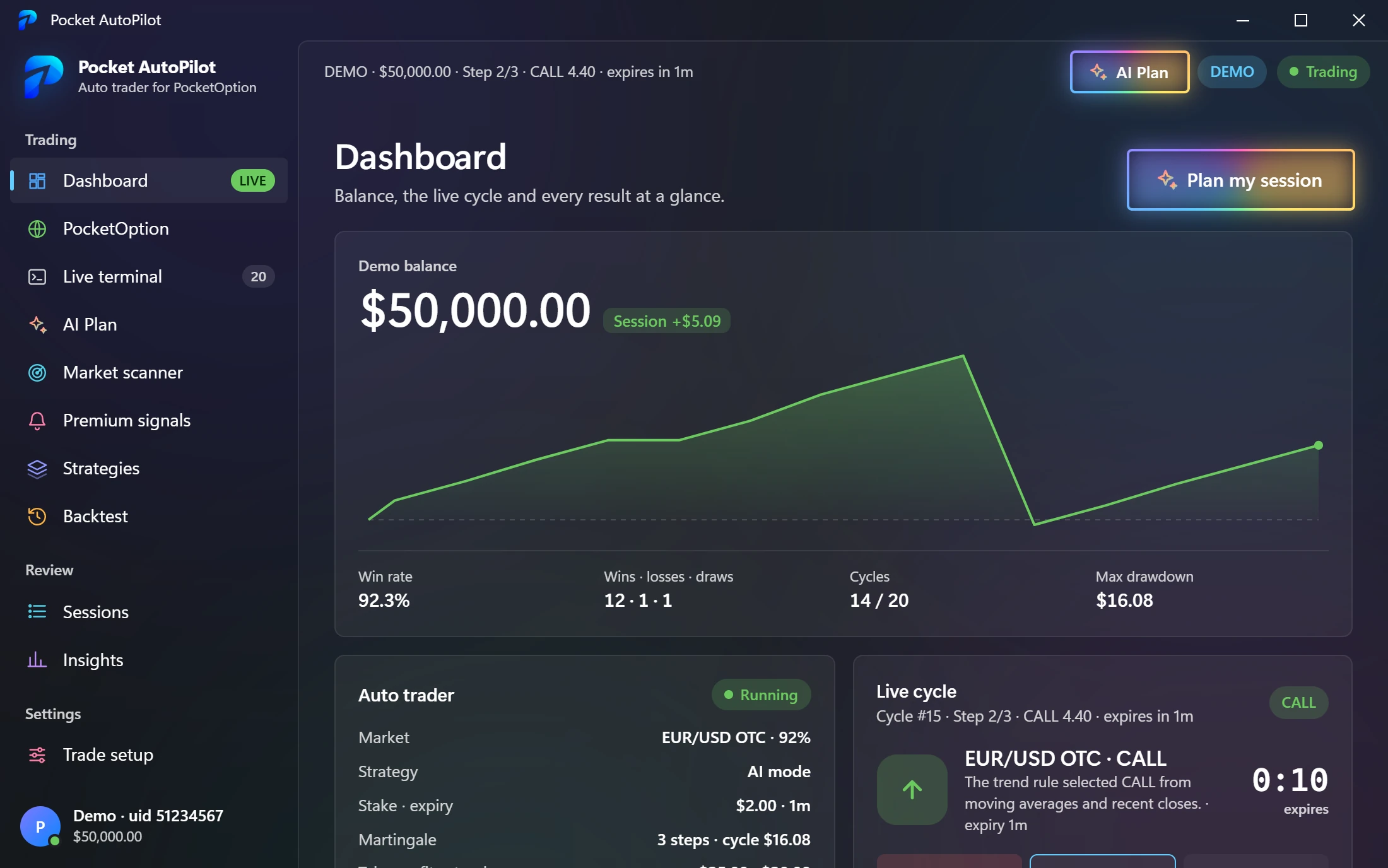
Watch Every Trade, Step by Step
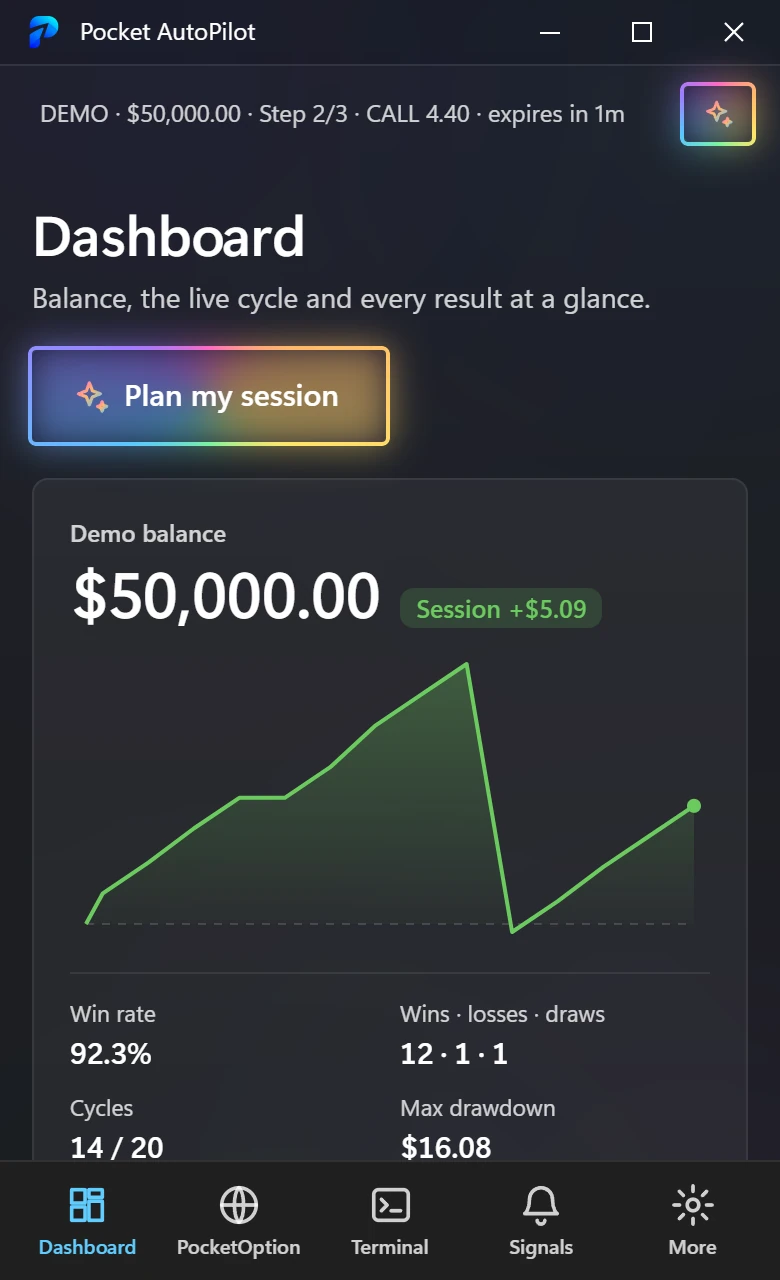
Your balance, the session's profit curve and the trade in progress — its direction, every martingale step and a countdown to expiry — all update live while the bot works.

Auto-Trade PocketOption Like a Pro.
PocketOption opens right inside the app. Log in once, set your limits,
and let it trade from your own computer and your own IP.
Free download · 2-day free trial · Windows & Android
Pocket AutoPilot runs on your own PC or phone, next to your own PocketOption account
Pocket AutoPilot brings PocketOption into one desktop cockpit: log in inside the app, let it trade on your rules, and see every step as it happens.
Live Dashboard NEW
Your balance, the session's profit curve and the trade in progress — its direction, every martingale step and a countdown to expiry — all update live while the bot works.
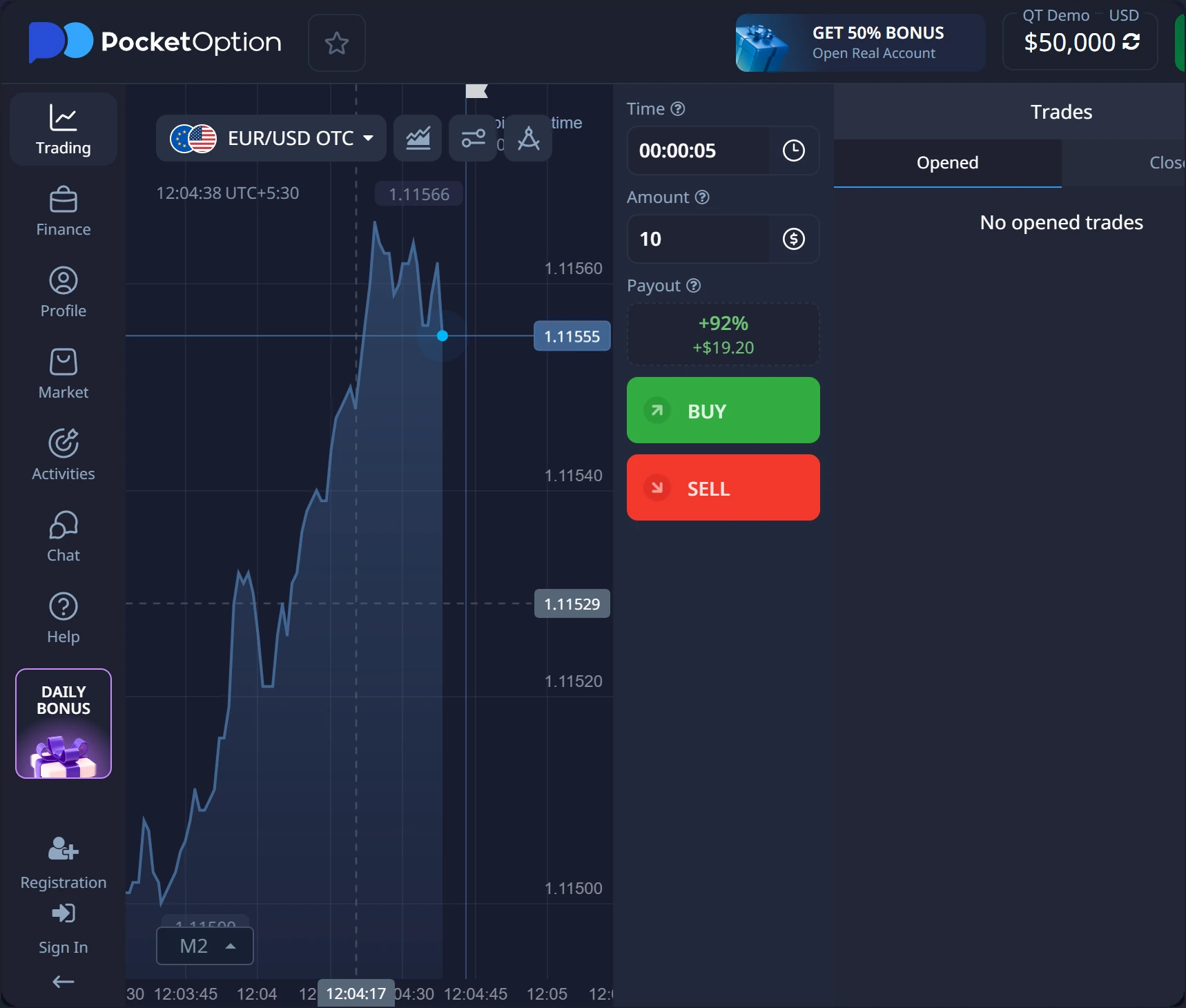
PocketOption Inside NEW
Log in on pocketoption.com inside Pocket AutoPilot. The session connects by itself — no SSID copying, no extensions.
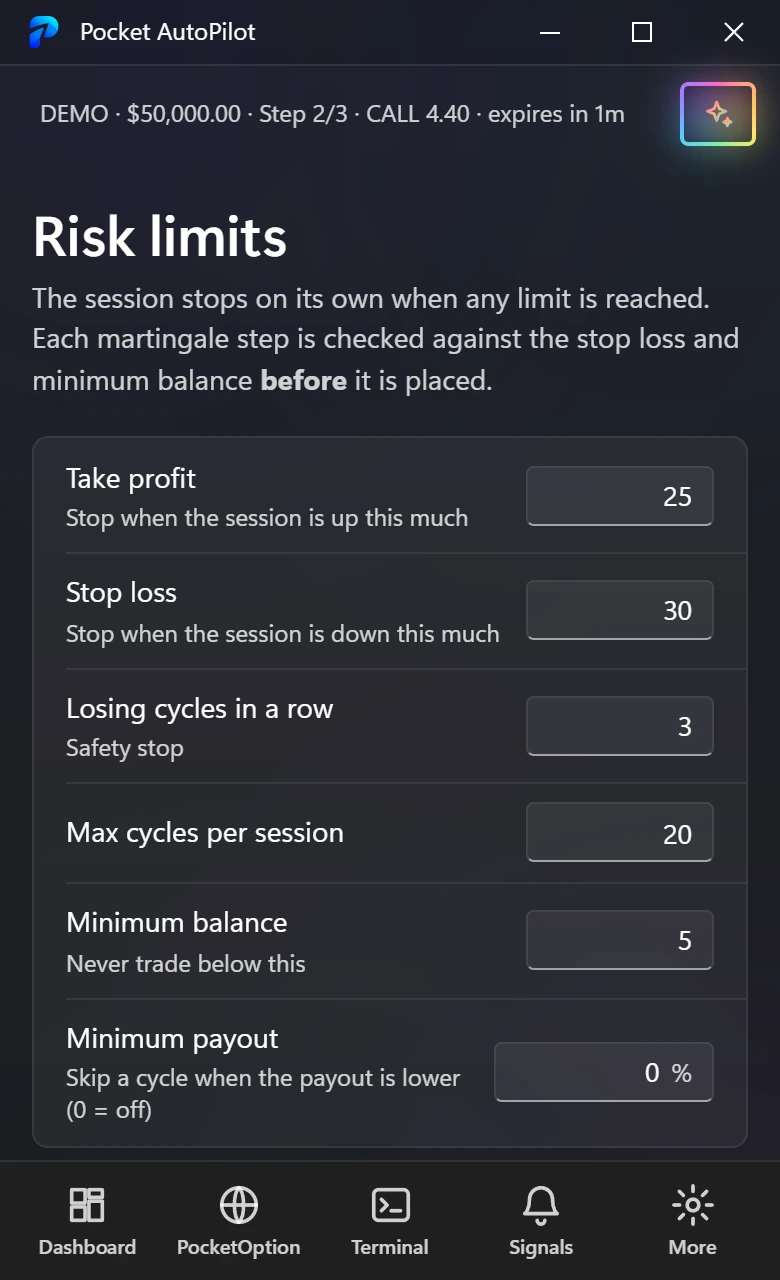
NEW Martingale Check
Before each recovery step, it checks your stop loss and minimum balance. If a loss would cross them, the step isn't placed.
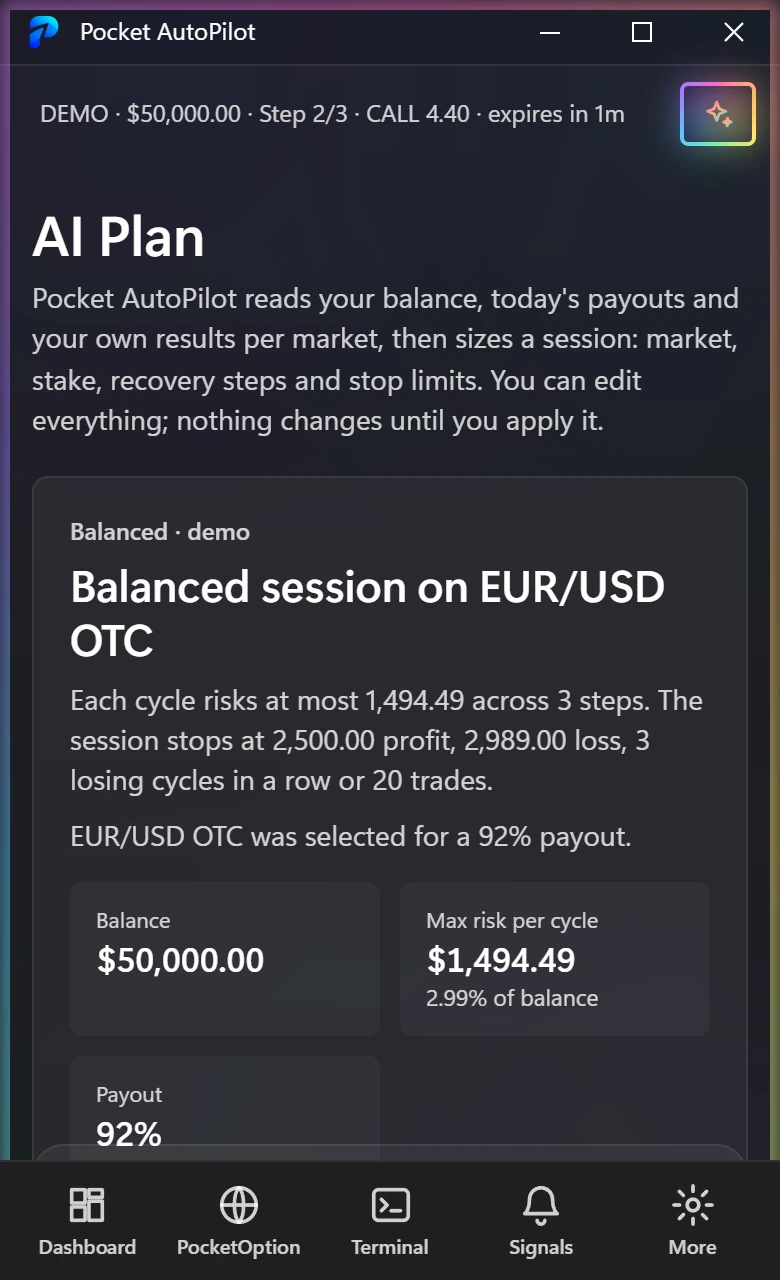
NEW AI Plan
Low, balanced or aggressive — stake, steps and stops sized to your live balance and today's payouts.
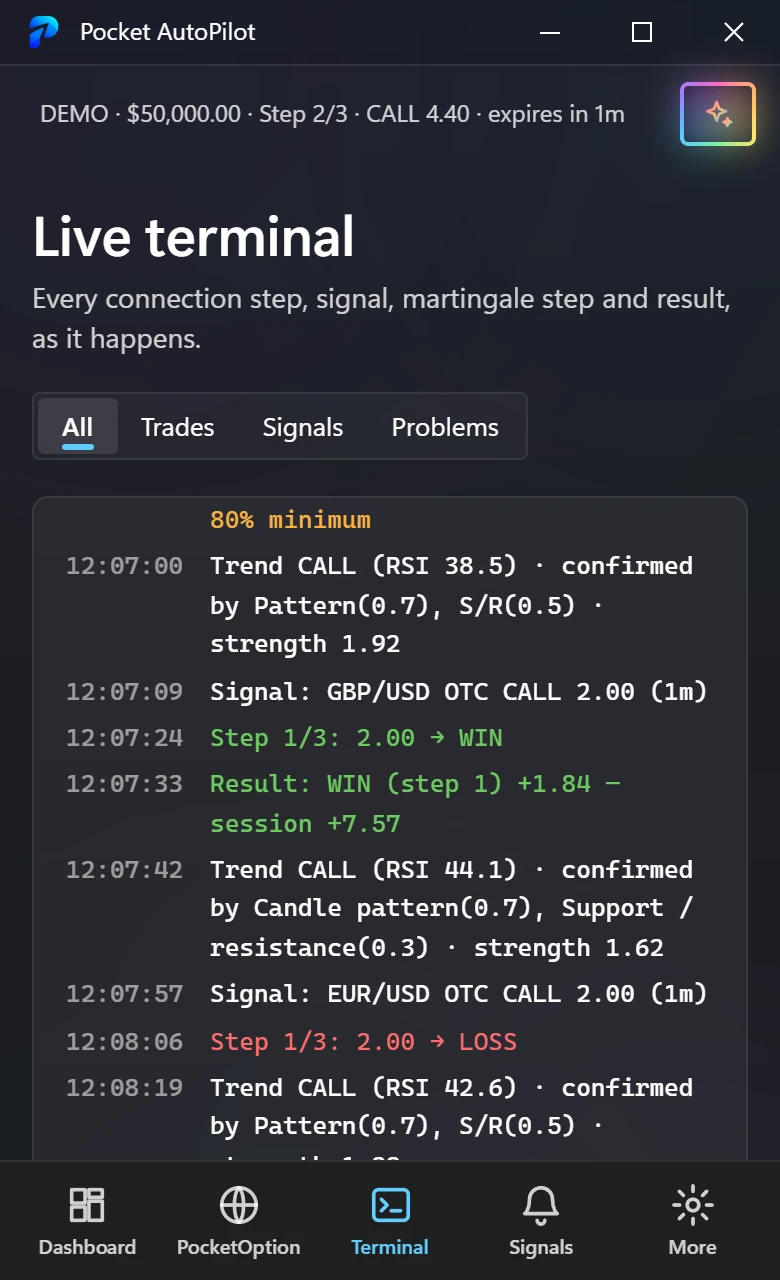
NEW Live Terminal
Every connection step, signal, order and result is logged with its reason, as it happens.
New in Pocket AutoPilot 1.0
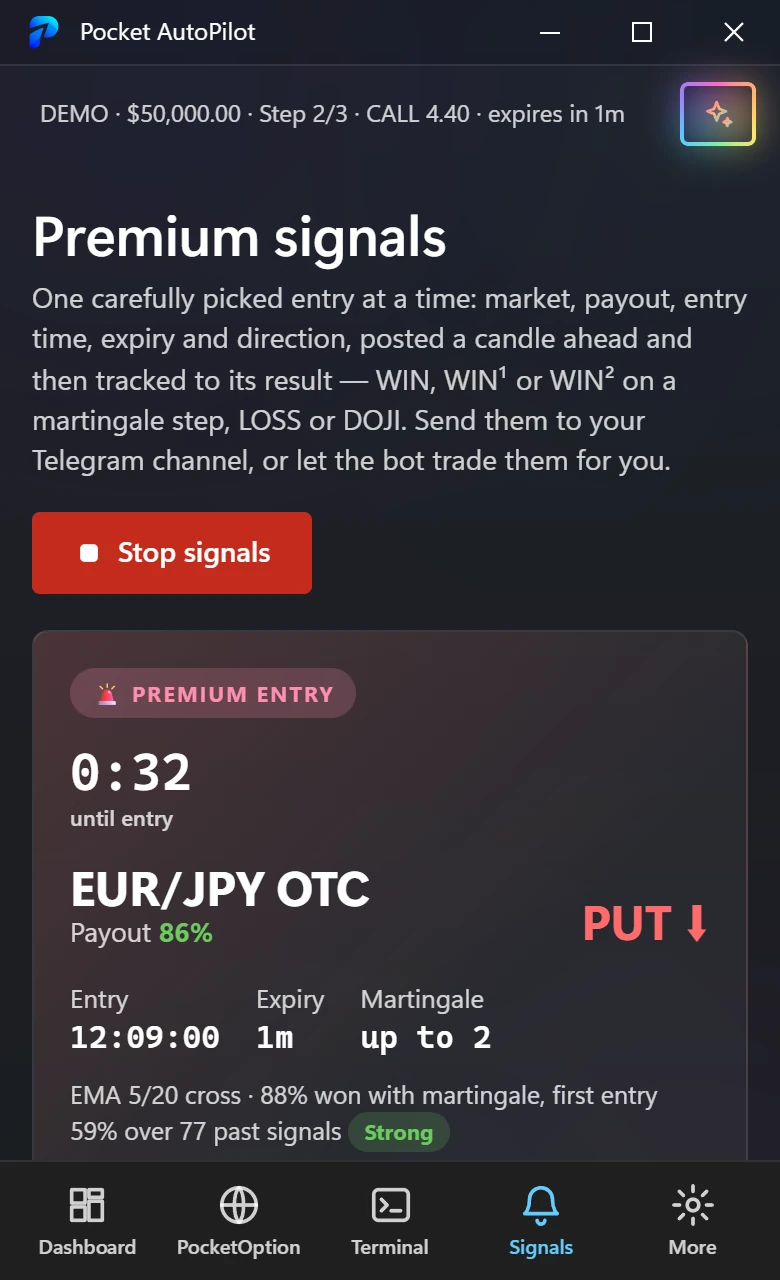
The Market Scanner checks the best-paying markets with your strategies at every candle close. Premium Signals turns the strongest setup into one clear entry — posted a full candle ahead, then tracked to its result.
Market Scanner NEW
Up to 15 markets and 12 strategies at once. Each strategy is replayed on that market's last 24 hours, so every signal shows its win rate with martingale, how often its first order won, and a countdown to the entry. One click points the auto trader at it.
Premium Signals NEW
Market, payout, entry time, expiry and direction — then the result straight from PocketOption's candles, martingale steps included. Daily win rate, streak and full history are kept for you.
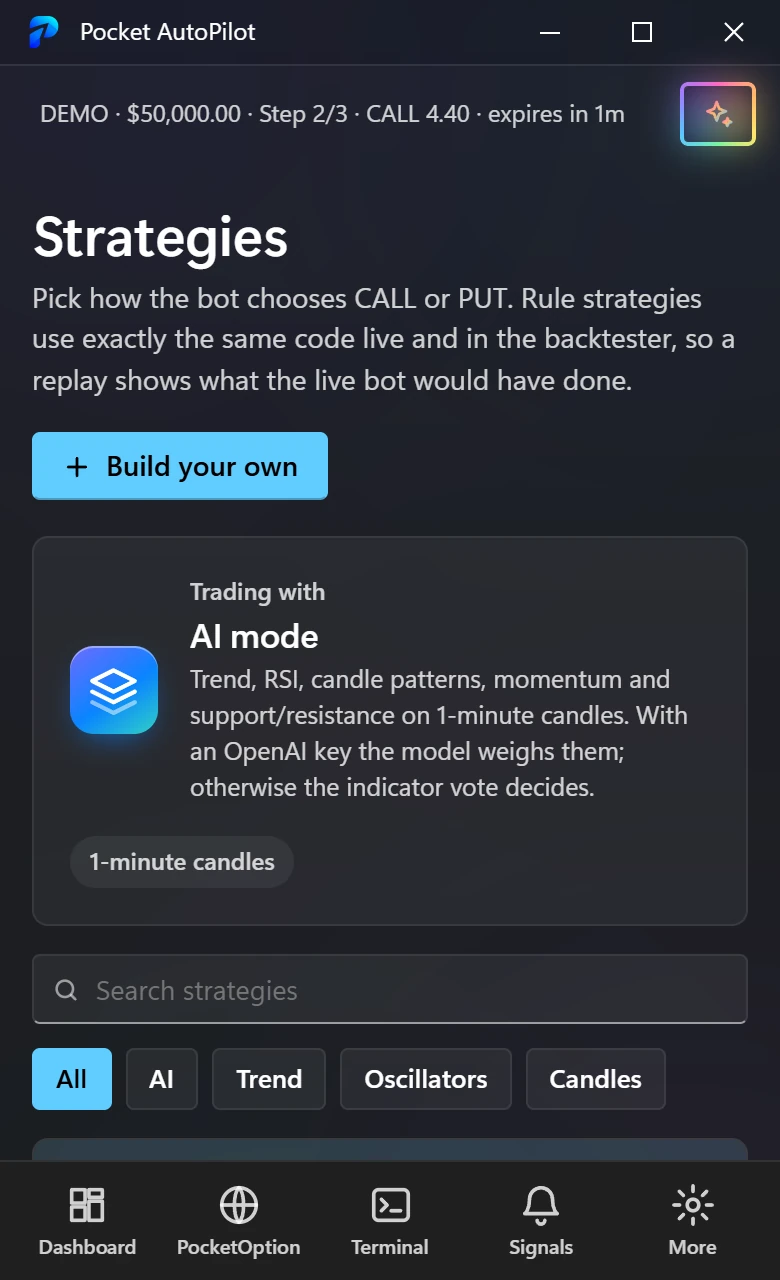
Dashboard, PocketOption, the market scanner, premium signals, AI Plan, strategies, backtests, the live terminal, risk limits and insights — one click apart.
Runs on Windows 10 · Windows 11 · Android 8+
Made for Every Kind of Trader
From your first demo session to a rule-based routine with strict limits, Pocket AutoPilot gives you one place to plan, trade and review.
What Pocket AutoPilot will never do — so you know exactly what you're getting.
Pocket AutoPilot won't promise profit. Nothing can. Binary options are high-risk and martingale can lose a lot quickly — you get disciplined execution and hard stops.
It never sees your password. You sign in on PocketOption's own page; Pocket AutoPilot keeps only the trading session, in Windows Credential Manager or the Android app's private storage.
It doesn't use proxies or someone else's server. The login and the trading both leave from your PC, on your own IP.
It won't trade Real without asking. Switching to Real needs a risk notice, and every Real session asks before it starts.
It won't go past your limits. Take profit, stop loss, losing streak and trade count stop the session on their own.
It doesn't fail silently. Every connection step, signal, order and result is written to the live terminal with its reason.
Download free and try every feature for 2 days. Both plans include the full app, AI decisions, the market scanner, premium signals, AI Plan, backtests and updates. One key works on 1 device (PC or phone).
Monthly
$—/month
Lifetime BEST VALUE
$—one time
Pocket AutoPilot is an app for Windows and Android that auto-trades your PocketOption account. PocketOption opens inside the app; you log in, choose a strategy, set your stake and limits, and it places the trades from your own PC or phone.
Yes. The download is free, and the first time you open Pocket AutoPilot you can start a 2-day trial of every feature — no card needed, one trial per PC. After that, a Monthly or Lifetime license keeps it activated.
No. Binary options carry a high risk of loss, and martingale increases the amount at risk after each loss. Pocket AutoPilot gives you consistent execution and hard stops. Start on a demo account and only trade money you can afford to lose.
PocketOption ties a real-account session to the address it was created from. Because you log in and trade on the same PC, both use your own connection — no proxies or shared servers in between.
You sign in on PocketOption's own page. Pocket AutoPilot never sees your password; it keeps only the trading session (in Windows Credential Manager, or the Android app's private storage), and you can remove it any time.
The scanner checks the best-paying markets with your chosen strategies at every candle close and lists what fires for the next candle, each with its recent win rate on that market. Premium Signals picks the single strongest setup, posts it a candle ahead with its entry time, expiry and direction, and tracks the result — WIN, WIN¹ or WIN² on a martingale step, LOSS or DOJI.
Yes. Create a bot with @BotFather, add it to your channel as an admin, and paste its token and the channel name in Premium Signals. Every entry and its result is posted there. The token stays on your PC.
No. AI decisions are included in your license. Rule strategies don't use AI at all.
Yes — and you should, first. Switch between Demo and Real with one tap; Real asks for confirmation every time you start.
Trading pauses and resumes when PocketOption is reachable again. Your license keeps working offline for up to three days.
Yes. In the app, open General → License and press "Deactivate", then enter the same key on the new PC or phone.
Android: yes — get it on the Download page (Android 8 or newer). Mac: in development; leave your email below and we'll tell you when it launches.